Creating a Coding profile

I’m going to show you how to setup a “coding” profile this is key to getting the actual programming correct, the profile will allow you to have the right permissions to code the modules. 

1) Open NCS Expert (usually icon on your desktop)

2) Open up the ‘Expertmode’ profile.

3) Save as a new profile (Call it “coding” or something similar.. ).

4) Load the ‘godfather’ profile.

5) Edit it (file –> edit. Password is repxet).

6) Make sure under button ‘Individualisierung’ all options are crossed.

7) Make sure under button ‘FSW/PSW’, that ‘from CVT’ is chosen, and that the bottom two boxes are crossed.

8) Finally, press ‘consistence check’ and check it works.

9) Then press okay

You should now have a “coding” profile.. Well done! when ever you want to code/write to the cars modules use this one..

Please note: Be very careful when in this profile and using the software, as it will write your modules so dont go thinking you cant do any harm, as you can!- treat with respect
E46 Coding options list

I have found a great pdf document which explains the NCS expert coding list, and options for the E46 bmw. it is attached below (please note i dont take any credit for this document but would like to share with everyone as its hard to find information on NCS codes.


Document attached here: FSW_PSW

Latest E46 SP-DATEN module updates can be found here

About the software

What is it?

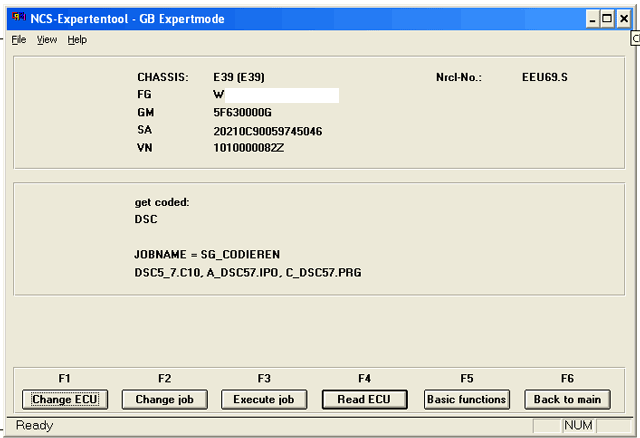
NCS Expert is part of BMW’S “INPA” tools software suite, the main purpose of NCS Expert is to interact/code the modules in the car.

What does it look like?

The main screen:

NCS-Expert-10


This is the main screen of the software where you can do all of the functions, the layout can be a bit confusing but after you have done it a few times you get used to it.

What models does it cover?

  • 1 series E81 E82 E87 E88
  • 3 series E30 E36 E46 E90 E91 E92 E93
  • 5 series E34 E39 E60 E61
  • 6 series E63 E64
  • 7 series E38 E65 E66
  • 8 series E31
  • Mini R50 R52 R53 R55 R56 R57
  • X series E53 E83 E70 E71
  • Rolls Royce RR1 RR2
  • Z series E52. E85 E86 E89
  • F01/L6

Modules

This is a list of the modules you will find in NCS expert, please take note if which one your programming you don’t want to  code the wrong one:
ABG – Airbag Module
AEWS – Immobilizer
AKMB – Instrument Cluster
ALSZ – Light Switch Center
BTM – Passenger mirror Module
CVM – Vert Module – don’t touch this, apparently it’s sensitive
DSC – DSC
FTM – Driver rearview mirror module
GM5 – ZKE – Central Body Electronics
GT – Navigation
IHK – AC
LWS – Light Switch
RAD – Radio
RLS – Rain Sensor
SM – Seat Memory
UEB – Rollover Sensor